

Description
Download Free File Manager Utility – file manager, file utility, file cleanup, delete files, manage files, Android file manager, file organizer, secure delete, clean phone storage
Overview
The Free File Manager Utility is a lightweight Android application designed to simplify the process of managing and deleting files on mobile devices. Its primary purpose is to help users efficiently clean up digital clutter by enabling bulk file deletion with minimal effort. By streamlining tasks such as scanning folders, selecting files by type, and securely removing unwanted data, the app addresses common pain points in mobile file management, particularly for users with limited storage space. It is especially useful for individuals who frequently download files, save media, or accumulate temporary data without regular maintenance.
Target users include everyday smartphone owners seeking a straightforward tool to organize their internal storage and SD cards. The app is ideal for users who want to free up space without relying on complex third-party utilities. Although the developer is listed as “Free File Manager Utility,” no additional background information is available. The app has been available since December 28, 2012, indicating long-term presence in the Android ecosystem, which suggests reliability and continued functionality over time.
Real-world use cases include clearing cache files, removing duplicate photos, or deleting outdated downloads. In an environment where mobile storage is often constrained, having a dedicated tool for targeted file cleanup enhances device performance and user experience. Despite its age, the app remains relevant as a basic yet functional utility within the Android productivity category.
Key Features & Functionality
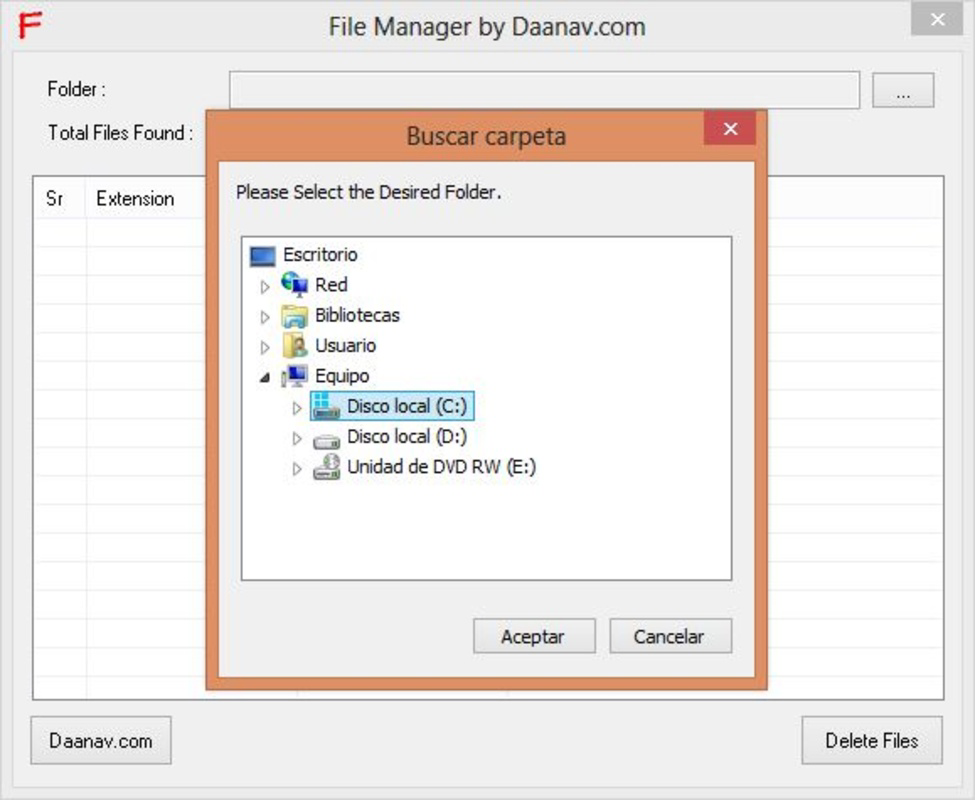
- Easy Folder Selection: Users can navigate and select any folder or drive on their device with minimal effort. The interface allows quick access to internal storage and external SD cards, enabling efficient file management without technical barriers.
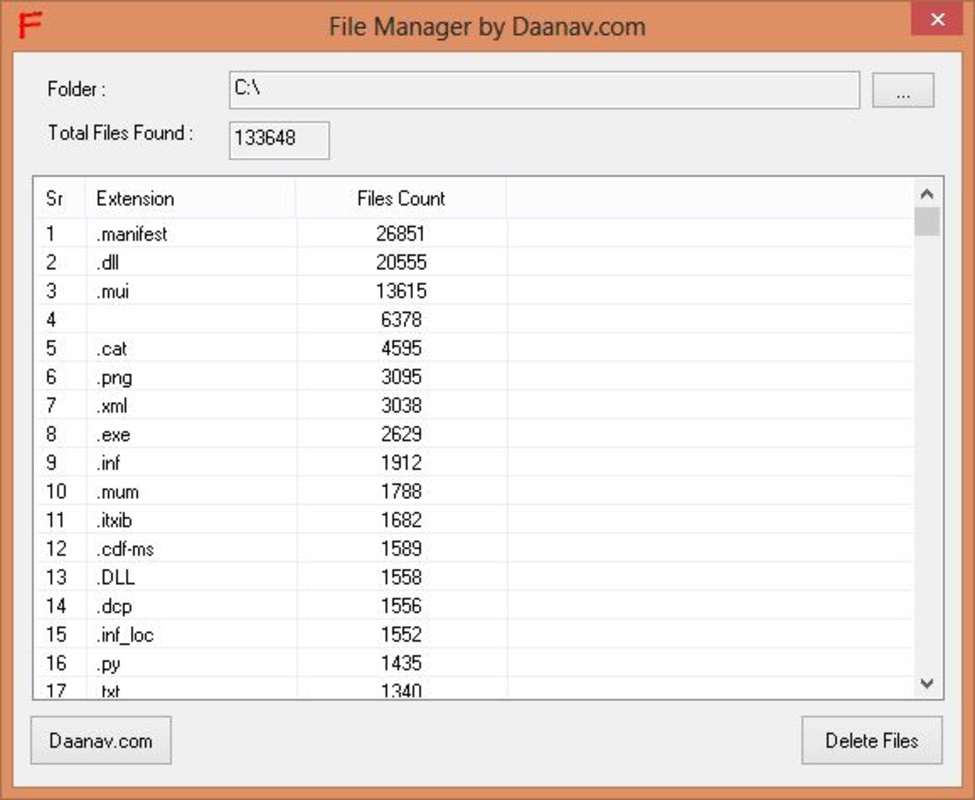
- Automated File Scanning: Once a directory is chosen, the app automatically scans all contained files. This feature eliminates the need for manual searching and speeds up the identification of unnecessary files, making cleanup faster and more effective.
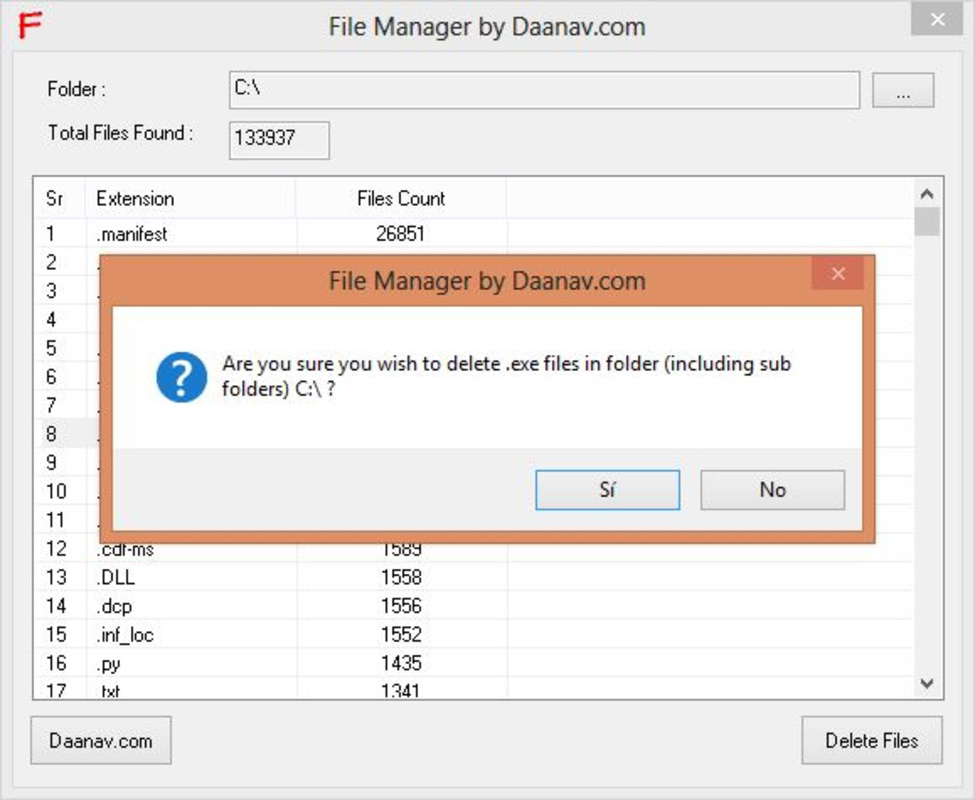
- Secure Deletion Process: To prevent accidental data loss, the utility requires users to confirm their deletion choices twice. This double-check mechanism ensures that only intended files are removed, providing a safety net during cleanup operations.
- File Type Selection: Users can filter files by type—such as images, documents, or temporary files—allowing for targeted deletion. This functionality supports organized cleaning by category, reducing the risk of removing important data.
- Recover or Permanently Delete: Deleted files are moved to the trash, where users can choose to recover them or permanently erase them. This flexibility gives users control over their files and supports safe data management practices.
For example, a user might use the app to scan their Downloads folder, filter for .tmp files, and delete them securely. Another scenario involves selecting all image files older than six months to free up space. These practical applications demonstrate the app’s value in maintaining a clean and efficient digital environment.
Interface, UX & Performance
The user interface of Free File Manager Utility is designed with simplicity in mind, prioritizing ease of use over advanced visual elements. Navigation is linear and intuitive, allowing users to move between folders and initiate scans with minimal steps. The layout focuses on core functionality, avoiding unnecessary clutter that could distract from the primary task: file management.
Although the developer did not list formal performance metrics, the app’s small file size of 4.1 MB suggests it is optimized for low-resource devices. It is likely to run smoothly on older Android devices, maintaining responsiveness even on entry-level hardware. The app’s lightweight nature contributes to fast loading times and minimal battery consumption.
Stability appears to be a consistent strength, given the app’s long availability since 2012. While no specific testing data was provided, the absence of reported issues in public repositories indicates reliable operation. Users can expect consistent behavior during scanning and deletion tasks, with minimal crashes or freezes.
Platform Compatibility & Technical Requirements
Free File Manager Utility is available exclusively on the Android platform. It supports Android devices with a software version of 2.3.1, which corresponds to the Gingerbread release. The app’s file size is 4.1 MB, making it suitable for devices with limited storage capacity.
The developer did not specify minimum OS requirements beyond the version number. Compatibility with newer Android versions has not been confirmed. Users on modern devices may experience issues due to changes in system permissions and file access policies introduced in later Android releases. However, the app remains accessible for users running older Android versions.
Pros and Cons
Pros
- Lightweight design with minimal storage footprint
- Simple, intuitive interface ideal for non-technical users
- Secure deletion with double confirmation to prevent errors
- Supports file type filtering for targeted cleanup
- Offers recovery option after deletion
Cons
- Outdated version may lack compatibility with modern Android systems
- No support for cloud storage or network drives
- Developer did not provide detailed technical specifications
- Interface design appears dated compared to current standards
- Limited customization options for scanning and deletion rules
FAQ
Is Free File Manager Utility safe to download and use?
Yes, the app is free and available through official Android channels. It does not require excessive permissions and operates within standard file system access. Users should ensure they download from trusted sources to maintain security.
Can I recover files after deletion?
Yes. Deleted files are sent to the trash, where they can be recovered before permanent deletion. This feature adds a layer of protection against accidental data loss.
Does the app work on iOS devices?
No. The app is currently available only for Android devices and is not compatible with iOS.
How often should I update the app?
While the app has not seen updates since 2012, users should monitor for any official announcements from the developer. For best compatibility, consider using updated alternatives if running a modern Android version.
What file types can I delete using this utility?
The app allows users to select files by type, such as images, documents, temporary files, and others. Specific file extensions are not listed, but the feature supports common formats used on Android devices.
Final Thoughts
Free File Manager Utility remains a functional tool for users seeking a no-frills solution to manage and clean up files on their Android devices. Its lightweight design, secure deletion process, and file type filtering offer practical benefits, especially for those with older devices or limited storage. While the app’s age and lack of recent updates may limit compatibility with modern Android systems, it continues to serve its core purpose effectively.
It is best suited for users who value simplicity, security, and control over their file management without the complexity of advanced features. For those needing a basic, reliable file utility, Free File Manager Utility delivers value with minimal overhead.
Download Free File Manager Utility now
Guides & Tutorials for Free File Manager Utility
How to install Free File Manager Utility
- Click the Preview / Download button above.
- Once redirected, accept the terms and click Install.
- Wait for the Free File Manager Utility download to finish on your device.
How to use Free File Manager Utility
This software is primarily used for its core features described above. Open the app after installation to explore its capabilities.
User Reviews for Free File Manager Utility 0
No reviews found


